From proposal to BEO in one click
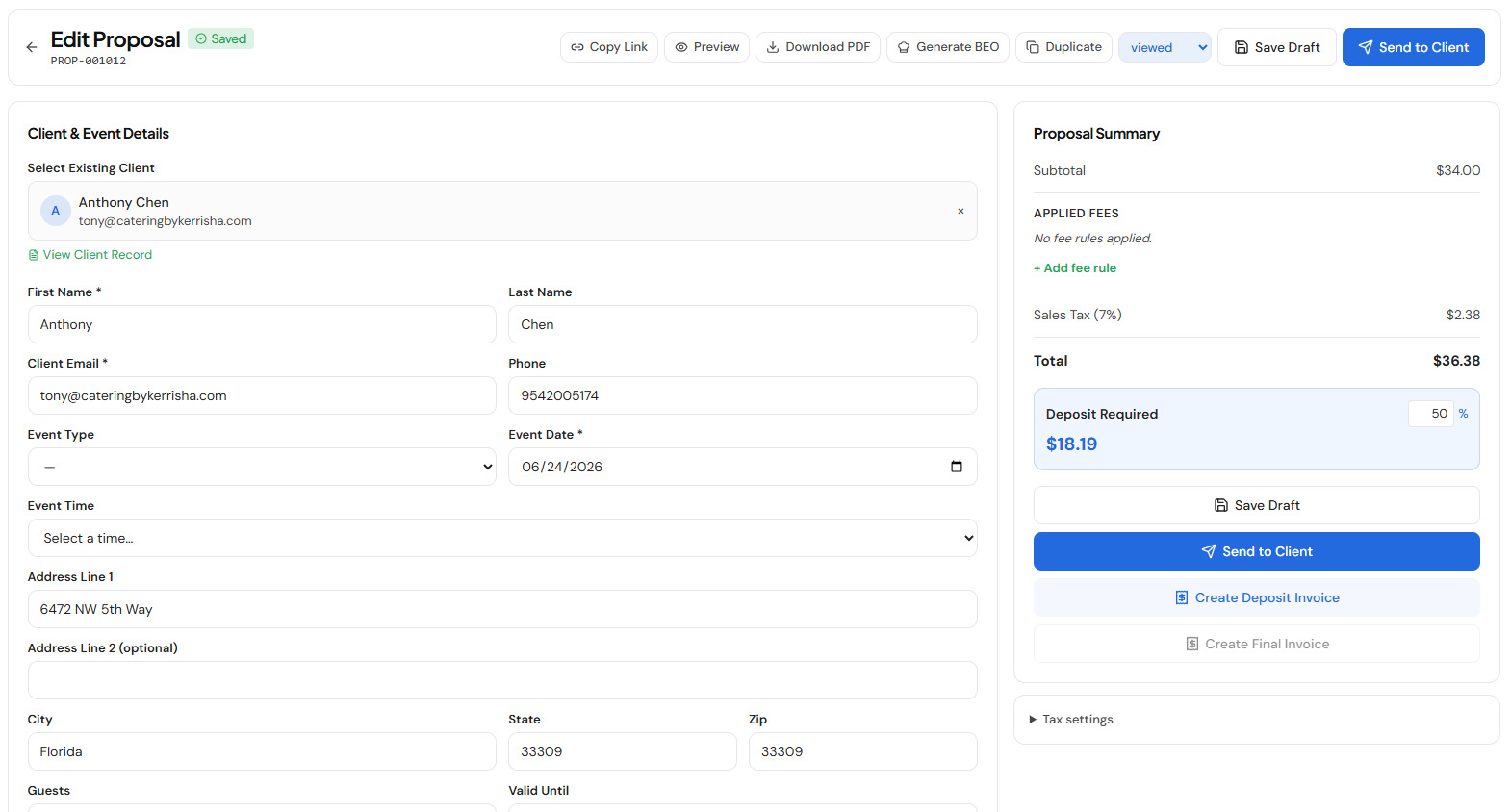
Every banquet event order starts from information you have already entered once. When a client accepts a proposal in nxcatering, the event has a date, a venue, a guest count, a full menu with quantities and dietary notes, and a deposit on record. Generating the BEO doesn't ask you to type any of that again — one click assembles it into a clean, structured banquet event order, ready to print or share. What used to be twenty minutes of re-keying (and a chance to transcribe the wrong number) becomes a single action.
Kitchen-ready output, not a blank form
A template gives your team an empty grid to fill in. nxcatering gives them a finished document. The BEO arrives with the timeline, the menu broken out by course with per-item counts, dietary and allergy notes attached to the dishes they belong to, staffing, setup, and a billing summary — all pulled from the live event. It carries your logo and brand, so the sheet the kitchen prints and the document a client sees look like they came from a real business, because they did.
One source of truth
Because the BEO is generated from the event rather than copied out of it, it stays in sync. Change the guest count or swap a menu item and the numbers follow — no stale sheet floating around with last week's count. Your proposal, invoice, deposit, and BEO all reference the same event, so the whole team works from one version instead of three slightly different ones scattered across email and paper.
Where it fits
BEO generation is one part of a single workspace, not a bolt-on. The same flat plan handles branded proposals with e-signature, deposit and final invoices, online card payments through your own Stripe account, and your lead pipeline — so an event flows from first inquiry to signed proposal to kitchen-ready BEO to paid invoice without leaving the app or retyping anything. It is $79/mo, everything included, with no per-event fees and no cut of your catering revenue.
New to BEOs, or comparing your options first? Build one free with the BEO generator, download a free template, or read how to create a banquet event order. When you're ready to stop retyping, nxcatering does it for you.
BEO software FAQ
What is BEO software?
BEO software generates and manages banquet event orders — the operational sheet a caterer works from on event day. Instead of retyping event details into a template, it builds the BEO automatically from an accepted proposal, keeps it in sync with the event, and produces a clean, branded document for the kitchen and service team.
How does nxcatering generate a BEO?
When a proposal is accepted, the client details, menu, quantities, dietary notes, and deposit are already in the system. One click turns that into a complete banquet event order — no re-entry. Any change to the event updates the BEO, so there is a single source of truth.
Is a BEO the same as a contract?
No. The contract is the legal agreement; the BEO is the operational plan the team executes on the day. nxcatering handles both — proposals and contracts on the sales side, and one-click BEOs on the operations side.
Can I try it before paying?
Yes. Explore a fully loaded demo workspace with no signup, or start your own account. It is one flat plan at $79/mo that includes proposals, invoices, payments, and BEO generation.